
Key Takeaways
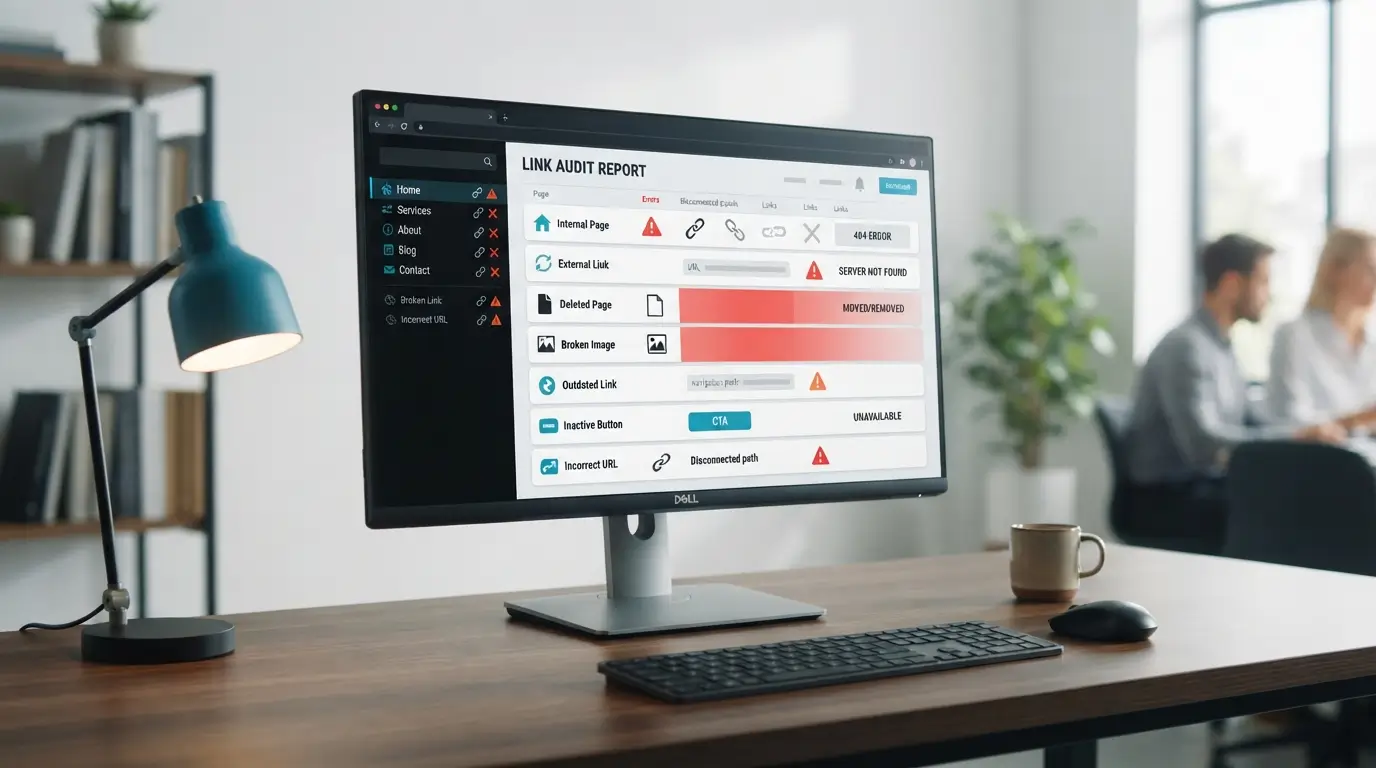
- A broken link is a link that no longer takes visitors to the intended page, file, image or online resource.
- A 404 Page Not Found is one common broken link example, but broken links can also involve incorrect URLs, unavailable domains, deleted files, images or other server responses.
- Internal links can break when pages are deleted, moved or renamed, while external links may stop working because changes happen on another website outside your control.
- Images, PDFs, brochures, forms and other downloadable resources can also become inaccessible when their URLs or file locations change.
- Regularly checking important website links can help business owners identify navigation problems and outdated references before they interfere with visitors trying to reach useful information.
A broken link can be easy to overlook until a visitor clicks it and cannot reach the page, image, document or resource they expected.
For a business website, this can create an unnecessary interruption for people who may be trying to learn about a service, read useful information or access an important resource.
A simple broken link example is a link that points to a deleted page and returns a 404 Page Not Found message.
However, broken links are not limited to 404 errors.
They can also occur when a URL is entered incorrectly, an external website removes a page, an image or downloadable file is moved, or the destination domain or server becomes unavailable.
Understanding these different examples can make it easier for business owners to recognise what may need checking on their websites.
The seven common broken-link situations below explain how these problems can occur and what website owners should look for when reviewing their links.
What Is a Broken Link Example?
A broken link is a hyperlink that does not take a visitor to the webpage, file or other resource they expected to reach.
Instead, the destination may return an error, fail to load or no longer exist at the address used in the link.
One of the easiest broken link examples to recognise is a link to a page that has been deleted.
A visitor clicks the link expecting to see useful information but reaches a 404 Page Not Found response instead.
However, broken links are not limited to deleted webpages.
A link can also stop working because its URL was entered incorrectly, a website changed its URL structure, an external resource disappeared, a file was removed or the destination server became unavailable.
What Happens When Someone Clicks a Broken Link?
The result depends on what is wrong with the destination.
A visitor may see an error page, encounter an access problem, reach an unavailable server or discover that an expected image or downloadable file cannot be loaded.
In each case, there is a mismatch between what the link is supposed to provide and what the visitor can actually access.
For a business website, consider a visitor reading about a service and clicking a link labelled “View Service Details.”
If the destination page has been removed without updating that link, the visitor reaches a dead end rather than the information promised by the link.
Is Every Broken Link a 404 Error?
No. A 404 Not Found response is one of the most recognisable examples, but different problems can produce different responses.
For example, a malformed request may result in a 400 response, access restrictions can produce a 403 response, a permanently removed resource can return 410, and a server-side problem may produce a 500 response.
These codes do not all mean exactly the same thing, so website owners should investigate the reason behind the response before deciding how to fix the link.
Why Do Broken Links Appear on Websites?
Links can stop working for many ordinary reasons.
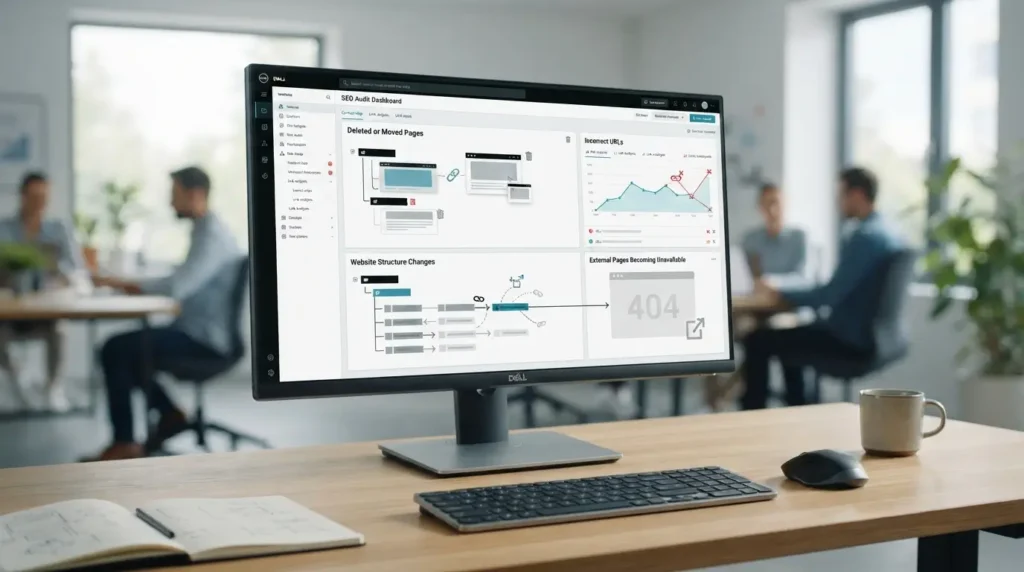
Websites are continually edited: pages are renamed, services change, old content is removed, files are replaced and external websites change independently.
A working link today is therefore not guaranteed to continue pointing to the same resource indefinitely.
Pages That Have Been Removed or Moved
Suppose a business publishes a promotional landing page and links to it from several blog articles.
After the promotion ends, the landing page is deleted.
If the links in those older articles remain unchanged, visitors may continue clicking them and reach an unavailable page.
A similar problem occurs when a page is moved to a new URL without updating links that still point to the old location.
URLs That Have Been Changed or Entered Incorrectly
A link can also fail because the URL itself contains an error.
This could involve a misspelling, missing characters, an incorrect path or another formatting mistake.
Website structure changes can create a similar result: if /services/web-design/ becomes /solutions/web-design/, links using the former address may stop reaching the intended page unless they are updated or handled appropriately.
External Websites, Domains or Resources That Are No Longer Available
External links introduce another consideration because the destination is controlled by someone else.
A third-party website may delete an article, reorganise its content, change domains or become unavailable.
Your own page may remain unchanged, yet its external link can become broken because something changed at the destination.
This is why periodically checking older content can be useful even when your own website has not recently been redesigned.
Broken Link Example 1: An Internal Link Points to a Deleted Page
An internal link connects one page of your website to another page on the same website.
For example, a blog article might link to a service page, a homepage may link to a promotion, or a navigation menu may lead to a contact page.
If the destination is removed while the original link remains, the internal link becomes broken.
Conductor distinguishes broken internal links from external links and backlinks because each involves a different relationship between the source and destination.
What Does a Broken Internal Link Look Like?
Imagine a Malaysian professional-services company with this page:
example.com/services/company-secretarial/
Several blog articles link to it.
The company later reorganises its services and removes that page.
If the older articles are not updated, their links may continue pointing to the removed URL.
A reader clicking “Learn more about our company secretarial service” could then reach an error page rather than the current service information.
This is a hypothetical example intended to illustrate the link structure, not a claim about any particular LocalVitals-listed business.
Where Can This Happen on a Business Website?
Internal broken links can appear in places such as:
- navigation menus;
- footer menus;
- blog articles;
- product or service descriptions;
- call-to-action buttons;
- category pages;
- older campaign pages; and
- links between related resources.
Pages are particularly worth reviewing after URLs have been changed, content has been deleted or a website has been migrated or restructured.
Broken Link Example 2: An External Link Points to a Page That No Longer Exists
An external link sends visitors from your website to a different domain.
Businesses commonly use external links when referring readers to supporting resources, official information, manufacturers, partners, industry organisations or other relevant websites.
The complication is that you do not control what happens to the destination.
Why Can an External Link Break Even When You Did Not Change Your Website?
Suppose an article published in 2024 links to a useful resource hosted by another organisation.
Two years later, that organisation restructured its website and removed or relocated the resource.
Your article has not changed, but the external link may now send visitors to an unavailable page.
This illustrates why checking external links in older articles can be useful.
The source website cannot prevent another site from moving its content, but it can update or replace the link once the problem is discovered.
Broken Link Example 3: A Link Leads to a 404 Page Not Found Error
The 404 response is probably the broken link example most people recognise.
A 404 Not Found response generally means that the server cannot find the requested page or resource at that URL.
This can happen because the page was removed, moved without an appropriate redirect, or because the requested address is incorrect.
What Does a 404 Error Tell the Website Visitor?
From the visitor’s perspective, the important point is simple: the content they expected is not available at that address.
Suppose someone searching for a Malaysian service provider finds an older article and clicks through to a detailed service page.
If that service URL returns 404, the visitor must either find another route through the website or abandon that particular path.
The presence of a 404 response does not automatically tell the website owner why the link failed.
The URL therefore needs to be checked before deciding what action is appropriate.
Is a 404 Error the Same as Every Broken Link?
No.
A broken link describes the broader problem of a link failing to deliver the intended resource.
A 404 is one specific HTTP response that can reveal such a problem.
Other conditions—including invalid URLs, access restrictions and server errors—can produce different responses.
Broken Link Example 4: A URL Contains an Error
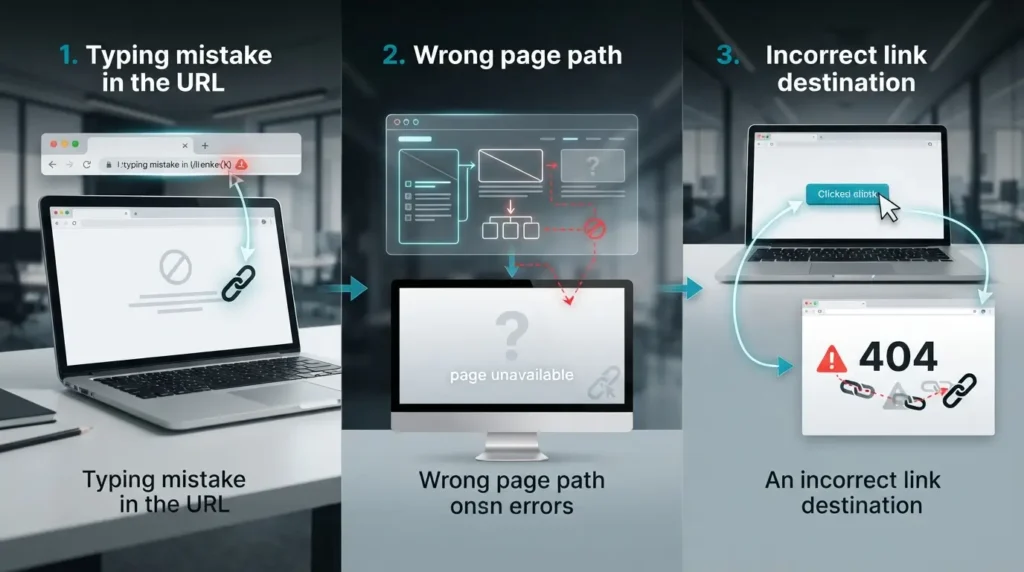
Sometimes nothing has happened to the destination page at all.
The problem is simply that the link points to the wrong address.
A typo can be enough to make a working page appear unavailable.
How Can a Typing or Formatting Error Break a Link?
Suppose the correct page is:
example.com/services/accounting/
But a blog article links to:
example.com/service/accounting/
If that second path does not exist and there is no appropriate redirect, visitors may reach an error instead of the intended accounting page.
Other mistakes can involve misspelled paths, incorrect protocols, extra or missing characters, or incorrectly formatted URLs.
Conductor lists bad URLs and human error among common broken-link situations.
What Should Website Owners Check in the URL?
When an apparently broken link is discovered, check whether:
- the domain is correct;
- the page path is spelled correctly;
- unnecessary or missing characters are present;
- the intended page has moved to another URL; and
- the destination opens correctly when accessed directly.
A small correction may sometimes resolve the issue without any broader website change.
Broken Link Example 5: An Image or Media File Cannot Be Loaded
Broken links are not limited to ordinary clickable text.
Images and other media can also depend on URLs.
If the underlying resource is deleted or moved while the webpage still refers to its former location, the asset may no longer appear correctly.
GeeksforGeeks identifies deleted images and files as a cause of broken resources, while Keywords Everywhere illustrates how a removed or changed image URL can result in a missing-image display.
Can an Image Also Have a Broken Link?
There are two related situations.
First, the image file itself may no longer load because its source URL is unavailable.
Second, an image may display correctly but also function as a clickable link whose destination has become broken.
For example, a business logo in an older article might still appear normally, while clicking it sends the user to a page that no longer exists.
What Can a Broken Image Look Like to a Visitor?
Depending on the browser and website configuration, a missing image may appear as an empty space, a missing-image icon or another failed-resource indication.
For a business website, this can be particularly noticeable when the affected resource is a product image, chart, service illustration or other visual that helps explain the page.
Broken Link Example 6: A PDF or Downloadable File Has Been Removed
Websites often provide downloadable resources in addition to normal webpages.
A link might lead to a PDF brochure, application form, product catalogue, price list, guide or other document.
If that file is deleted, renamed or moved without updating the link, the download may stop working.
Content removal can affect downloadable material in the same way it affects ordinary webpage links.
Where Can Broken Download Links Appear?
A business website could potentially contain downloadable links for:
- brochures;
- product catalogues;
- application forms;
- registration forms;
- guides;
- specifications;
- menus;
- price lists; or
- other business documents.
For example, suppose a company replaces company-profile-2025.pdf with company-profile-2026.pdf but an older article continues linking to the 2025 file after it has been deleted.
That older download link can become broken.
The practical fix depends on the circumstances. If a newer equivalent exists, updating the link may be appropriate.
If the resource is obsolete and has no relevant replacement, removing the link may make more sense.
Broken Link Example 7: A Link Points to an Unavailable Domain or Server
Sometimes the URL path is correct but the website hosting the destination cannot be reached.
This can occur when a domain expires, the hostname is invalid or the destination server experiences problems.
Both Conductor and GeeksforGeeks include server, host or domain problems among situations that can make linked resources inaccessible.
Can the Destination Website Cause the Link to Stop Working?
Yes.
Consider a business article linking to a third-party information website.
If that domain later expires or disappears, every remaining website linking to that domain may effectively point readers toward an unavailable destination.
Because this happens outside the linking website, regular reviews can help identify links that were valid when originally published but no longer work.
Is Every Server Problem a Permanent Broken Link?
No.
This distinction matters.
A server may temporarily be unavailable because of downtime, configuration problems, excessive load or another technical issue.
An automated check performed during that period may detect a server error even though the page later becomes accessible again.
Website owners should therefore consider the response and, where appropriate, recheck the destination before treating every temporary failure as a permanently broken link.
Which Error Codes Can Appear When Checking Broken Links?
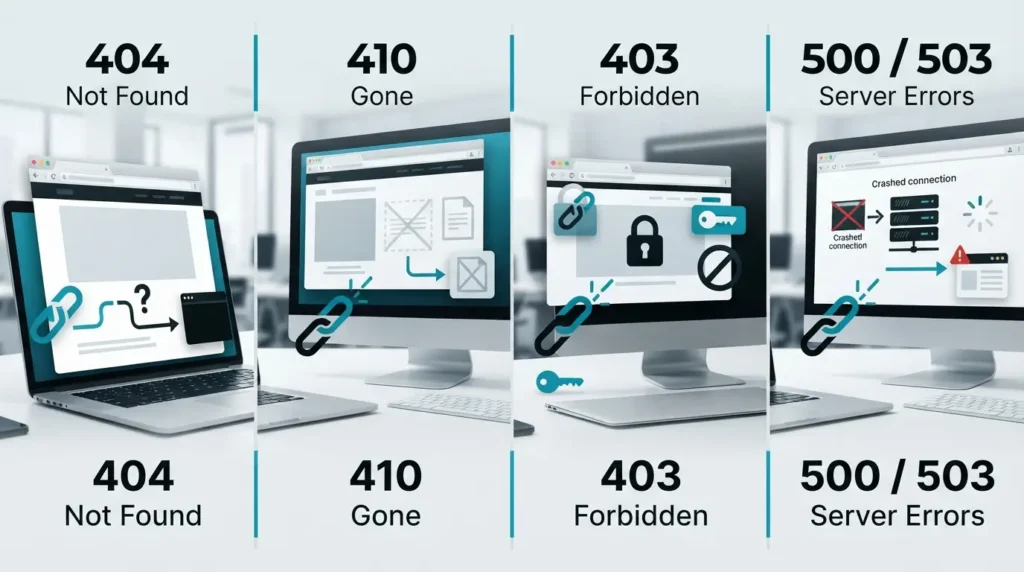
HTTP status codes can provide clues about what happened when a link was checked.
They should be interpreted according to what each response means rather than treating every non-success response as an identical problem.
404 Page Not Found
A 404 indicates that the requested page or resource was not found at that location.
For broken-link checking, this is one of the clearest signs that the destination URL deserves investigation.
The page may have been removed, moved or requested using an incorrect address.
400 Bad Request
A 400 Bad Request indicates that the server could not properly process the request.
Incorrectly formed URLs are one possible cause, so a 400 response detected while reviewing links should prompt a check of the URL itself.
403 Forbidden
A 403 Forbidden response means the server understood the request but is refusing access.
This does not necessarily mean the webpage has been deleted.
Permission or access restrictions may be involved, which is why a 403 should not automatically be treated in exactly the same way as a 404.
410 Gone
A 410 Gone response indicates that a resource has been intentionally removed and is no longer available.
This provides a stronger indication of deliberate removal than a general 404 response.
500 Internal Server Error
A 500 Internal Server Error indicates a server-side problem while processing the request.
Like other server failures, it warrants investigation, but it does not necessarily prove that the underlying page has permanently disappeared.
Why Is It Important to Check Broken Links?
The practical reason is straightforward: website links are supposed to help visitors move from one useful piece of information to another.
When those paths stop working, visitors may be unable to reach what the surrounding page promised.
Broken Links Can Interrupt Website Navigation
Internal links help users move through related parts of a website.
If a visitor is reading an article and the next useful link leads to an unavailable page, that navigation path stops at the broken destination.
On a business website, the interrupted path could involve service information, a contact resource, supporting content or a downloadable document.
Visitors May Not Reach the Information They Expected
The effect of a broken link depends heavily on where it appears.
A broken reference deep inside an old article may have a different practical significance from a broken link in the main navigation or on an important service page.
This is why website owners should consider context and priority, not simply count the number of broken links they find.
Conductor similarly recommends prioritising broken-link work according to the importance of the affected pages.
Broken Links Can Make Website Content Harder to Maintain
A growing website can contain hundreds or thousands of links accumulated over time.
Older articles may continue referring to pages, domains, files and resources that have subsequently changed.
Periodic checking provides a way to identify these outdated connections so that the website’s link structure can be maintained more systematically.
Why Broken Internal Links Deserve Particular Attention
Internal links are within the website owner’s control.
They also help users and crawlers move between pages. If an important internal link points to an unavailable URL, both visitors and automated crawlers may be prevented from following that particular route to the intended content.
This does not mean that finding one broken internal link automatically causes a particular Google ranking loss.
SEO outcomes depend on wider context, including which page is affected, the website structure and other factors.
For business owners, the more practical priority is to ensure important navigation paths continue leading to useful, accessible pages.
How Can You Find Broken Links on a Website?

There is no requirement to discover broken links using only one method.
The appropriate approach depends on the size of the website, how frequently it changes and how many links need checking.
Check Important Website Pages Manually
For a small website, a manual review can begin with high-priority areas such as:
- the main navigation;
- homepage links;
- service or product pages;
- contact links;
- important call-to-action buttons;
- footer links; and
- frequently visited articles.
Click each link and confirm that it reaches the intended destination.
Manual checking can be useful when reviewing a few important pages, although it becomes increasingly time-consuming as the number of pages and links grows.
Multiple sources therefore recommend automated or crawling tools as another way to identify broken links across larger sets of content.
Use an Automated Broken Link Checker
An automated Broken Link Checker can provide another way to review links without manually opening every URL one by one.
The important point is not simply whether a tool labels something “broken.” Review the destination and the response it returns so you can understand whether the problem involves a missing page, incorrect URL, inaccessible server or another condition.
Which Pages Should a Business Check First?
A practical starting point is to prioritise links that matter most to visitors.
These may include:
- main navigation and menu links;
- service and product pages;
- contact or enquiry paths;
- key landing pages;
- frequently accessed articles;
- important downloadable resources; and
- external references that readers rely on for supporting information.
After these have been reviewed, website owners can widen the check to older or less frequently visited content.
What Should You Do After Finding a Broken Link?
Finding the link is only the first step. The appropriate response depends on why it failed and whether a relevant destination still exists.
Correct an Incorrect URL
If the problem is simply a typo or incorrect URL, update the link to the correct address.
This is generally the simplest situation because the intended destination still exists.
Update the Destination When a Page Has Moved
If the content still exists at a new URL, update the old link so that it points directly to the current location.
Depending on the circumstances, a website owner may also consider whether a redirect from the old URL is appropriate.
Replace or Remove an Outdated Link
External content sometimes disappears permanently.
If another trustworthy and relevant resource now provides the information readers need, the old link can potentially be replaced.
If the reference is no longer necessary, removing it may be more appropriate than leaving visitors with a dead destination.
Recheck the Link After Making Changes
Do not assume the problem is resolved simply because the URL was edited.
Open or recrawl the affected page and confirm that the corrected link now reaches the intended resource.
Siteimprove’s documented workflow similarly involves correcting the link in the CMS, republishing the page and then rechecking it to verify that the issue has been resolved.
When Should Businesses Check for Broken Links?
There is no single checking schedule that is appropriate for every website.
A small website that changes infrequently may have different maintenance requirements from a large site publishing or removing content regularly.
Certain events, however, make a link review particularly useful.
After Changing Page URLs
Whenever a URL changes, check pages that previously linked to the old address.
This can help identify internal links that were missed during the change.
After Removing or Updating Website Content
Deleting a page or replacing a downloadable resource can affect links from other parts of the website.
Before or after removal, review where the old resource was linked and decide whether those links should be updated, removed or handled in another appropriate way.
After a Website Redesign or Migration
Website migrations and structural changes are established causes of broken links because paths, domains, folders and content locations may change during the process.
A post-migration link check can therefore help identify URLs that still refer to an old structure or location.
During Routine Website Maintenance
Even if your own website has not changed, external websites may have.
Regular checks can therefore help identify link problems that develop over time, including old external references and resources that have disappeared.
For Malaysian companies and service providers maintaining their wider online presence, LocalVitals also publishes practical content in its Business category.
The goal is not to assume that every detected response represents a serious website problem.
It is to identify links that no longer perform their intended function, investigate the cause and decide whether an update is warranted.
Conclusion
A broken link does not always look the same.
It may be an internal page that has been deleted, an external resource that disappeared, an incorrect URL, a missing image or PDF, a 404 response, or a destination that is temporarily unavailable.
For business owners, the practical priority is to identify links that no longer take visitors to the information or resource they were intended to reach.
Start with the areas that matter most to visitors, such as navigation menus, service pages, contact paths, important articles and downloadable resources.
When a broken link is found, check the cause before deciding whether to correct the URL, update the destination, replace the link, remove it or consider an appropriate redirect.
Website content changes over time, and external websites can change without notice.
Including link checking as part of normal website maintenance can therefore help keep important navigation paths and online information usable.
Related article
Check Your Website for Broken Links
If you want a faster way to review website URLs, you can use the Broken Link Checker to help identify links that may require further investigation.
Review each detected result before making changes, particularly when the response involves access restrictions or temporary server errors rather than a permanently removed page.
Frequently Asked Questions About Broken Link Examples
What Is the Most Common Broken Link Example?
A common broken link example is a hyperlink that points to a page that has been deleted or moved and now returns a 404 Page Not Found response.
However, a 404 is only one type of broken-link situation. Incorrect URLs, unavailable external resources, deleted files and inaccessible destinations can also cause links to stop performing their intended function.
What Is the Difference Between a 404 Error and a Broken Link?
A broken link describes a hyperlink that does not successfully lead the visitor to its intended resource.
A 404 error is a specific HTTP response indicating that the requested resource could not be found at that URL.
Therefore, a link leading to a 404 page can be considered a broken link, but not every broken-link problem necessarily produces a 404 response.
Can Images and PDF Files Have Broken Links?
Yes.
An image may fail to load if its source file has been deleted, renamed or moved.
A PDF or other downloadable resource can become inaccessible for similar reasons.
Images can also function as clickable links, meaning the image itself may display normally while the webpage it links to is no longer available.
Can External Links Become Broken Without You Changing Your Website?
Yes.
An external website can remove a page, change its URL structure, migrate to another domain or become unavailable.
Your own webpage may remain exactly the same while the external destination changes, causing a previously working link to stop reaching the expected resource.
How Can I Find Broken Links on My Website?
You can start by manually checking important areas such as:
- navigation menus;
- service or product pages;
- contact links;
- call-to-action buttons;
- older blog articles;
- downloadable files; and
- external references.
For larger websites, an automated broken-link checking tool can make it easier to review multiple URLs and identify destinations that may need investigation.
Should I Remove or Redirect a Broken Link?
It depends on what happened to the original destination.
If the correct page still exists at a different URL, updating the link may be sufficient.
If an old URL has a suitable replacement, an appropriate redirect may also be considered.
If an external resource has disappeared, you may choose to replace it with another relevant resource or remove the link if it is no longer useful.
The appropriate action should be based on the purpose of the original link rather than automatically applying the same fix to every broken URL.
How Often Should a Business Website Be Checked for Broken Links?
There is no single schedule suitable for every website.
A link check is particularly useful after changing URLs, deleting content, replacing downloadable files, redesigning a website or completing a website migration.
Businesses that publish or update content frequently may also benefit from including broken-link reviews as part of routine website maintenance.